Teacher Resources
YouTube EDU and YouTube Teachers: https://www.youtube.com/education
/ https://www.youtube.com/user/teachers
YouTube EDU is
a YouTube channel with hundreds of thousands of educational videos! It contains videos for every subject (math,
science, social studies, English, language) and for every grade level. YouTube Teacher is also a YouTube channel
with hundreds of thousands of educational videos, however, these also include
videos of how to incorporate different videos in your lessons. This channel has partnered with many other
organizations like Smithsonian, TED, Steve Spangler Science, and
Numberphile. It has even begun a pilot
program that works with schools to redirect all YouTube links to educational
content on YouTube EDU. It continues to
add videos daily!
PBS Learning Media and For Students Version: https://www.pbslearningmedia.org/
/ https://www.pbslearningmedia.org/student/
PBS Learning
Media is a wonderful tool that provides teachers with more than 100,000 digital
learning objects such as videos, images, audio, games, and interactive
sites. It covers all subjects throughout
all the grade levels. This huge resource
makes creating lesson plans significantly easier! Access is free and most content is
downloadable so can be accessed offline.
The accompanying site is the Student Version. Students also have access to more than
100,000 different media, including videos, images, and games for every subject
and grade level. The difference is that
the student version is much more appealing to students. As well there is a feature where teachers can
create a classroom and students can log onto the PBS site where they can work
on assignments or projects created through the website. Overall, it’s a fantastic tool for both
teachers and students!
OverDrive App: https://www.overdrive.com/
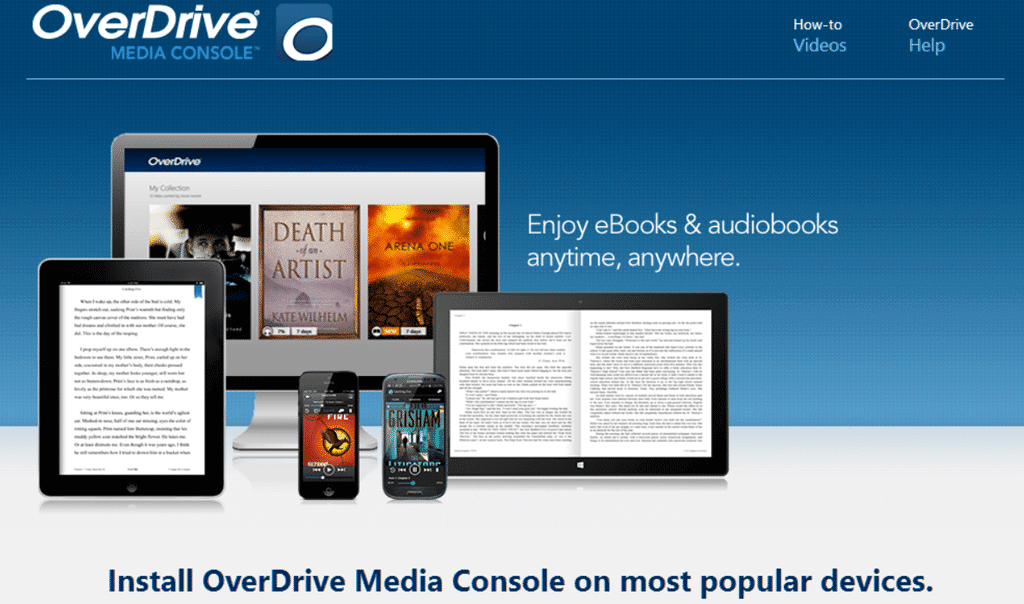
OverDrive is a website and app that allows you to browse, checkout,
and download free eBooks and digital audiobooks – all you need is a library
card (which is free)! To use this
resource, the user must create a free account and hook it up with their library
card. Once it is hooked up, it works the
same as if you were to borrow a tangible item from the library. The wonderful thing about this resource is
that it can be used on any electronic device – you can use it on a website on
your computer or download the app for mobile devices! As well, once an item has been downloaded
after borrowing/check out, you no longer need access to the internet to use the
material – it is available anywhere/everywhere offline! It’s such a cool resource that really
promotes the exploration of books for literacy as well as for other areas of
education!
 Marian Small - I couldn’t do this task and not talk about Marian Small (I love
her). Marian Small is an author and
international professional development consultant for improved mathematics
education and is one of the leading speakers on Canadian mathematics
education. She is also an author of a
number of books regarding teaching mathematics.
Small focuses on making math meaningful for students by getting them
involved in their learning. I could go
on and on about how wonderful she is but no one wants to hear me! To me, Marian Small is what I aspire to be as
a math teacher. She breaks math down
into ways that are so straight forward and easy to understand for any
learner. She also tends to say very thought-provoking
things that get you to think about why you do the things you do as a
teacher. If looking for help with
teaching math or just overall teaching philosophy there are a number of videos,
interviews, and books about her beliefs that are extremely inspiring. I recommend looking into her if you haven’t
heard of her before!
Marian Small - I couldn’t do this task and not talk about Marian Small (I love
her). Marian Small is an author and
international professional development consultant for improved mathematics
education and is one of the leading speakers on Canadian mathematics
education. She is also an author of a
number of books regarding teaching mathematics.
Small focuses on making math meaningful for students by getting them
involved in their learning. I could go
on and on about how wonderful she is but no one wants to hear me! To me, Marian Small is what I aspire to be as
a math teacher. She breaks math down
into ways that are so straight forward and easy to understand for any
learner. She also tends to say very thought-provoking
things that get you to think about why you do the things you do as a
teacher. If looking for help with
teaching math or just overall teaching philosophy there are a number of videos,
interviews, and books about her beliefs that are extremely inspiring. I recommend looking into her if you haven’t
heard of her before! Frank Baker is a media literacy education consultant from South Carolina,
USA. His focus is to teach students how
to be smart viewers of the media. His
twitter supplies followers with the latest news and tips and tools to help
teachers teach media literacy in classrooms.
I think that he is extremely inspiring because this is such a prevalent
topic in today’s society - everything is online and today’s students are
consumed by the media. As teachers, it’s
part of our job to educate students on the dangers of the media and teach them
how to identify bias or lies in the news.
This is especially true for the junior level. Many students nowadays are given access to
technology at such a young age, but were never quite taught the dangers of
it. Baker continues to provide wonderful
resources that help teachers address this pressing topic!
Frank Baker is a media literacy education consultant from South Carolina,
USA. His focus is to teach students how
to be smart viewers of the media. His
twitter supplies followers with the latest news and tips and tools to help
teachers teach media literacy in classrooms.
I think that he is extremely inspiring because this is such a prevalent
topic in today’s society - everything is online and today’s students are
consumed by the media. As teachers, it’s
part of our job to educate students on the dangers of the media and teach them
how to identify bias or lies in the news.
This is especially true for the junior level. Many students nowadays are given access to
technology at such a young age, but were never quite taught the dangers of
it. Baker continues to provide wonderful
resources that help teachers address this pressing topic! Kim Pruitt is a 5th grade ELA teacher at a Presbyterian day
school where she implements technology in a blended learning environment. She has multiple online resources for fellow
teachers to access. The first is her
digital learning website GrammarCloud.
Here you can find a number of videos that teach students how to use
correct grammar and write different types of material. She also has a blog on this site where she
talks about why she uses the strategies she does as well as providing teachers
with different tools to use project-based learning and design-thinking in the
classroom. Pruitt also has a blog run by
her students where they update it with what they are currently learning. Lastly she has a twitter page where she
frequently shares and retweets a number of cool items or strategies that can be
used in the classroom. She is definitely
inspiring because not only does she blog for herself, but she allows her
classroom to have their own blog! If
that’s not incorporating media in the classroom, I don’t know what is. I think managing a blog at a junior level
would be a great way to teach students about media literacy and get them
involved in their learning! As well, the things that she blogs about and shares
on twitter are items that I can definitely see myself using in the future so
she is definitely someone to follow!
Kim Pruitt is a 5th grade ELA teacher at a Presbyterian day
school where she implements technology in a blended learning environment. She has multiple online resources for fellow
teachers to access. The first is her
digital learning website GrammarCloud.
Here you can find a number of videos that teach students how to use
correct grammar and write different types of material. She also has a blog on this site where she
talks about why she uses the strategies she does as well as providing teachers
with different tools to use project-based learning and design-thinking in the
classroom. Pruitt also has a blog run by
her students where they update it with what they are currently learning. Lastly she has a twitter page where she
frequently shares and retweets a number of cool items or strategies that can be
used in the classroom. She is definitely
inspiring because not only does she blog for herself, but she allows her
classroom to have their own blog! If
that’s not incorporating media in the classroom, I don’t know what is. I think managing a blog at a junior level
would be a great way to teach students about media literacy and get them
involved in their learning! As well, the things that she blogs about and shares
on twitter are items that I can definitely see myself using in the future so
she is definitely someone to follow!

Comments
Post a Comment